
Keys and secrets at rest
what is stored where, and how to recover.
AXIS is non-custodial: each user's keys exist only on their own device, encrypted. There is no server copy, so the recovery phrase is the user's only way back. On the operator side there are no server secrets at all. This page describes what the 1.0.0 code does, file by file.
01How wallet keys are stored
The recovery phrase and private key are encrypted by VaultService (lib/core/vault_service.dart) and kept in the platform's secure storage through the flutter_secure_storage package.
| Layer | What the code does |
|---|---|
| Encryption | AES-256-GCM with a random IV per value. Values are tagged v2:; older AES-CBC values from the wallet engine are read once and re-encrypted with GCM. |
| Encryption key | A random 32-byte key, generated on the device the first time a wallet is saved. It is stored in secure storage too, never derived from the PIN and never sent anywhere. |
| Android | Android Keystore-backed encrypted preferences (encryptedSharedPreferences: true). |
| iOS | Keychain with first_unlock_this_device: readable after the first unlock since boot, and not carried to a new device or into an iCloud backup. |
| Web | There is no Keychain or Keystore in a browser, so the vault is locked with a vault passphrase the user sets (at least 10 characters) when they create or import a wallet. See The web vault passphrase below. |
Signing happens on the device with these keys (lib/core/hyperliquid/hyperliquid_signer.dart). Only signatures and signed actions leave the device.
02The web vault passphrase
The web build is the primary target, and a browser has no secure chip. AXIS therefore encrypts the browser vault with a secret only the user knows (lib/core/web_vault_passphrase.dart, lib/core/vault_service.dart):
| Step | What the code does |
|---|---|
| Key derivation | PBKDF2-HMAC-SHA256, 600,000 iterations, a random 16-byte salt per browser, run by the browser's own Web Crypto (lib/core/vault_kdf_web.dart). It produces 64 bytes that are never stored. |
| Vault key | The vault's own AES-256 key is sealed with AES-256-GCM under the first 32 bytes before it is written (wk1: prefix). Without the passphrase the stored key decrypts to nothing. |
| Storage layer | The other 32 bytes are the wrapKey for flutter_secure_storage, so the key that package keeps in browser storage is wrapped too, not exportable. |
| What is stored | Only the salt, a wrap IV and a SHA-256 verifier (to say "wrong passphrase"). None of them reveals the passphrase. |
| Unlock | After a reload the app shows Unlock your vault before anything else; the keys are decrypted only in memory. |
Asked again (WalletProvider.authenticateForSensitiveOperation, which on web always prompts and fails closed): before the recovery phrase is shown, before an encrypted backup is exported or imported, before a deposit, a withdrawal, a collateral transfer or the builder-fee approval is signed, and before every WalletConnect signature. Placing and cancelling orders on an unlocked vault does not prompt; those signatures cannot move funds off the account.
Nobody can recover it. The user clears the site data and imports the recovery phrase again, then sets a new passphrase. The onboarding screen of the web build says so before the phrase is shown.
A browser vault written by an earlier build without the passphrase is moved behind the new passphrase the first time the user sets one, and the old copy is deleted.
03When storage is session-only
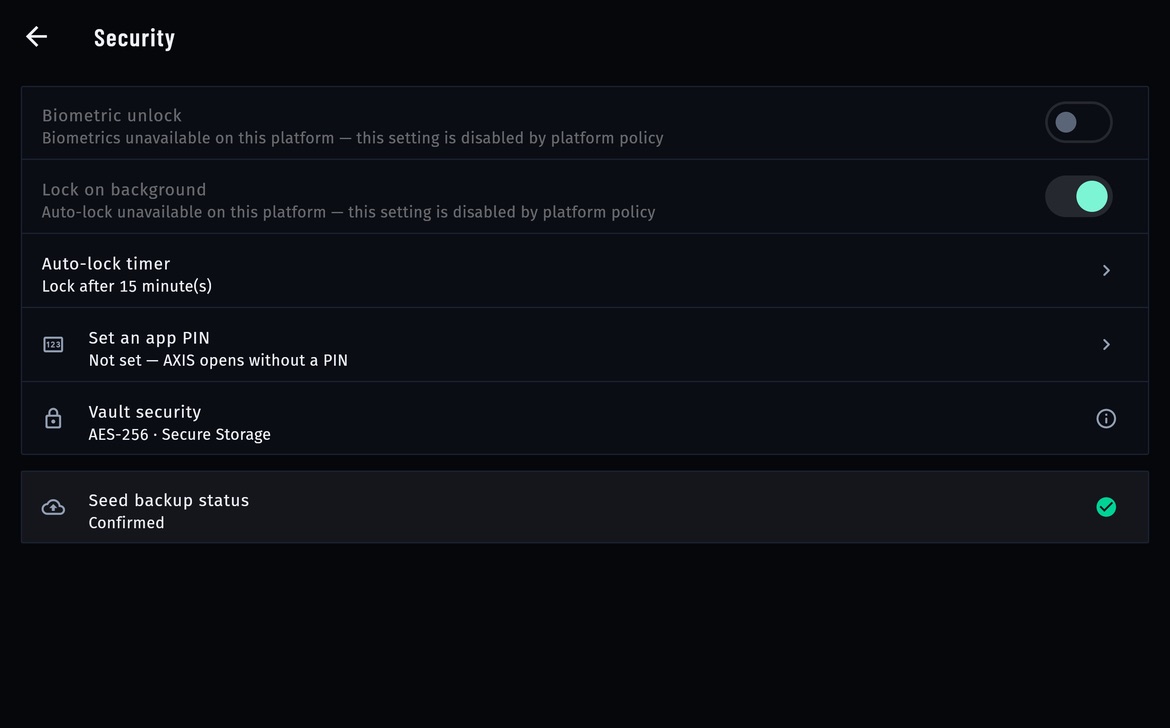
If the browser's storage fails (for example a private window that blocks it), the vault falls back to memory only, so keys are not written in the clear. The wallet then disappears when the tab closes. Account → App lock → Vault security shows Session only · Not persisted in that case, and the Accounts screen warns that keys are session-only. On Android and iOS there is no such fallback: a storage failure is reported as an error. In a normal browser profile the encrypted vault persists across reloads; clearing site data, another browser or another device means importing the phrase again.
04Content-Security-Policy and headers (web)
The page that holds the vault must not run injected script. The package ships the same policy in four files:
firebase.json: HTTP headers for Firebase Hosting (Content-Security-Policy,X-Frame-Options,X-Content-Type-Options,Referrer-Policy,Permissions-Policy,Strict-Transport-Security).web/_headers(Netlify, Cloudflare Pages) andweb/vercel.json(Vercel): copied intobuild/web/byflutter build web.web/index.html: the same policy as a<meta>tag, so a host that sends no headers is still covered (a meta policy cannot carryframe-ancestors; send that header from your host).
The policy allows no inline script and no inline style: the splash lives in web/splash.js and web/splash.css, the Firebase SDK loaders in web/firebase_csp_loader.js, and the two <style> blocks the Flutter engine injects are allowed by hash. If you add a script or a host (an analytics tag, a font CDN), add it to all four places: firebase.json, the meta tag in web/index.html, web/_headers and web/vercel.json. For nginx or Apache, copy the header lines from web/_headers.
script-src contains 'wasm-unsafe-eval' and no 'unsafe-eval'. 'wasm-unsafe-eval' only allows the browser to compile WebAssembly, which Flutter's CanvasKit renderer needs to draw the app; JavaScript eval(), new Function() and string timers stay blocked.
The two sha256-… hashes in style-src match the <style> blocks injected by Flutter 3.41.4, the version this release was verified with. Another Flutter version can inject different styles. After flutter upgrade, run flutter build web --release, serve build/web and open the browser Console: a line such as Refused to apply inline style because it violates the following Content Security Policy directive gives the new hash (Chrome prints it as sha256-…). Replace the old hash with it in all four places.
05Firestore security rules
When you connect Firebase, deploy the rules in firestore.rules before you publish the app. They allow exactly what the app does:
| Path | Client access |
|---|---|
app_config/runtime_admin_config | Read only. Nobody can write it from the app; you change it in the Firebase console or with the Admin SDK. |
users/{uid}, _presence/{uid} | Read and write by the signed-in user whose uid it is, with a fixed list of fields. |
device_tokens/{uid}_{hash} | Read, write and delete by the owning uid only. |
| Everything else | Denied. |
npm install -g firebase-tools
firebase login
firebase use --add                     # pick your project
firebase deploy --only firestore:rules
Without these rules, a Firestore database in test mode would let anyone change your builder address, fee and links for every user. Check the result in the Firebase console under Firestore Database → Rules.
06App lock and biometrics
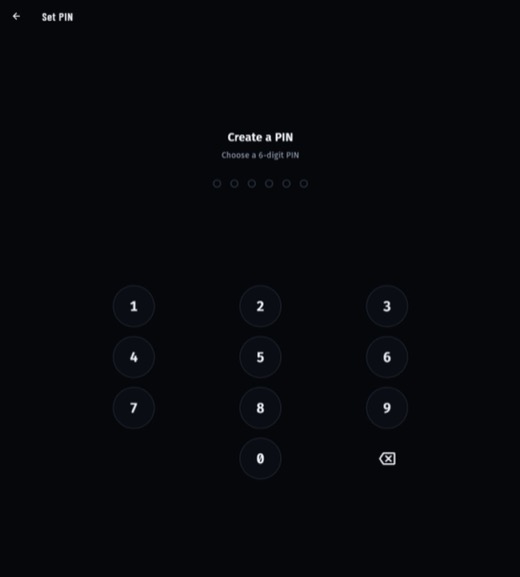
- PIN: optional, set under Account → App lock → Set an app PIN (
lib/features/security/app_lock_service.dart). Only a SHA-256 hash of it is stored, in secure storage. Five wrong entries lock the keypad for 30 seconds. - Biometric unlock: Face ID, Touch ID or Android biometrics through
local_auth, where the device offers them. Unavailable on the web. - Auto-lock timer: the PIN screen returns after the app spends this long in the background. Default 15 minutes.
The PIN and biometrics guard the screen. They are not the vault's encryption key, so forgetting the PIN does not destroy the keys, and knowing it does not decrypt them on another device.
07If the device or app data is lost
Nobody can restore a user's wallet for them: not you as operator, not the author of AXIS, not Hyperliquid. There is no account, no email reset and no cloud backup of keys.
| What is lost | How the user gets back in |
|---|---|
| Phone lost or reset, app deleted, browser site data cleared | Install or open AXIS again and choose Import Existing Wallet with the 12 or 24-word recovery phrase. The same address, positions and balances on Hyperliquid reappear, because they live on the venue, not in the app. |
| Wallet imported with a private key only | There is no phrase; the private key itself is the backup. Import it again under Private Key. |
| Recovery phrase and every backup lost | The wallet and the funds in it cannot be recovered. |
| PIN forgotten | If the vault is intact, the keys are fine. If the user cannot get past the lock, they clear the app's data or reinstall and import the phrase. |
Backups the app offers
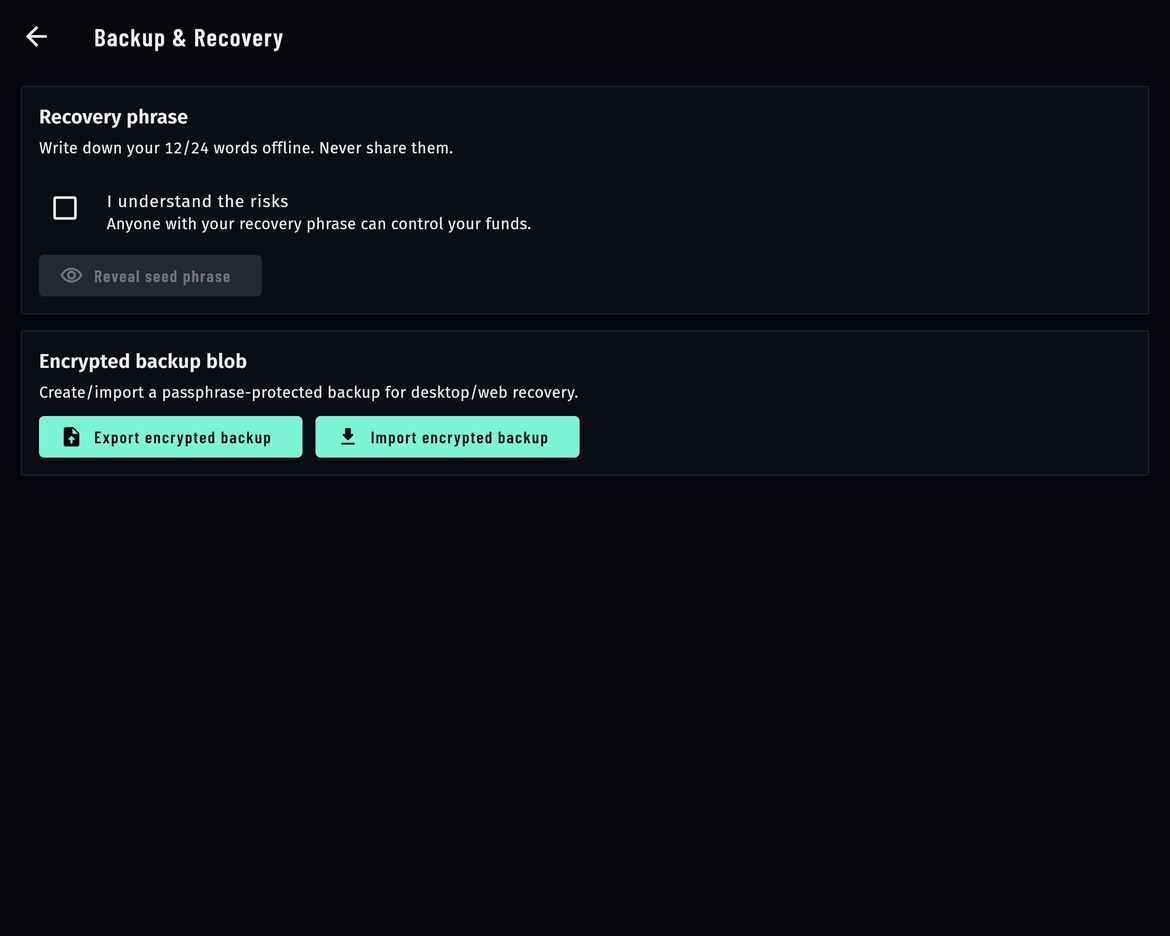
- Recovery phrase (Account → Recovery phrase): shown after a risk confirmation, to write down on paper. New wallets must verify three words of it before they are created.
- Encrypted backup blob (same screen): an export of the vault protected by a passphrase of at least 12 characters, using PBKDF2-SHA256 with 600,000 iterations and AES-256-GCM. It is copied to the clipboard (cleared after 60 seconds) for the user to store offline. Without the passphrase it cannot be opened.
08Operator side: no server secrets
AXIS has no backend, database or admin server, so there is no server secret, admin password or encryption key for you to store, rotate or lose. What you configure is public by design:
- Your
config.json(or Firestore document / Remote Config parameter) is downloaded by every copy of the app. Anyone can read it. Your builder address and rate are meant to be public; they are disclosed to traders anyway. - Build settings (
--dart-define) are compiled into the app, and in a web build anyone can read them. - The config model still accepts API key fields inherited from the wallet engine (for example
etherscan_api_key,alchemy_api_key). Do not publish keys you need to keep private there: they become public the moment you publish the file.
The secrets that are yours to protect sit outside the app:
- The recovery phrase or private key of your builder address. It holds your 100 USDC collateral and the fees paid to you. Keep it offline; ideally do not use that wallet for trading.
- Your Android upload keystore and
android/key.properties, Apple signing certificates. Back them up; they are in.gitignore. - Logins to your hosting (whoever can edit
config.jsoncan change the builder address every user's orders carry), Firebase, Reown and the store consoles. Use two-factor authentication.
Values typed in Operator console are stored in plain app preferences on that device (axis.operator_config.v1), not encrypted, and never uploaded. They are settings, not secrets. The console exists only in a build compiled with your own AXIS_OPERATOR_PASSCODE (details).